 PnP
PnP Machine setup sheet
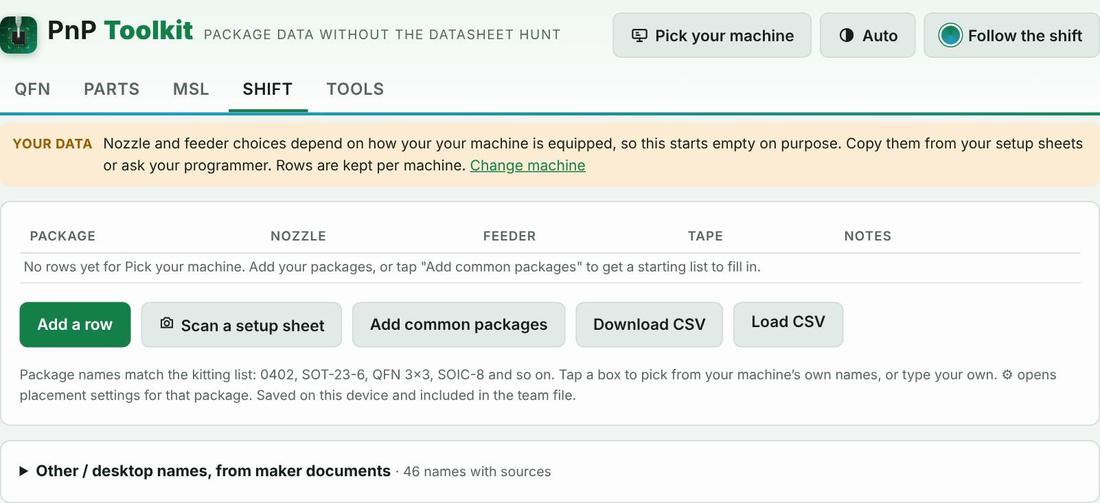
Your shop’s answer to “which nozzle and which feeder for this package?” Each box offers your machine’s own feeder, nozzle, head and vision names, sourced from maker documents, and the ⚙ button holds placement settings per package: centering, speed, pick and place height offsets, force and vacuum check. It starts empty on purpose, keeps rows per machine, and shows them next to each line of the kitting list.
How to use it
- Tap “Add common packages” or scan your setup sheet.
- Tap a box and pick your machine’s nozzle and feeder names, or type your own.
- Tap ⚙ for centering, speed, heights, force and vacuum check where a package needs them.
- Share it with the team file.
Proof it works
On your machine
The words in this tool follow the machine you pick: “nozzle” or “tool”, “feeder”, “intelligent feeder” or “Agilis feeder”.
Part categories it helps with
Other features
- Machine picker
- QFN decoder
- Parts library
- Scan and capture
- Kitting list from the BOM
- Load check
- MSL floor-life timers and bake times
- Mispick log
- Shift handoff note
- Team file and sharing
- Job setup checklist
- Rotation helper
- Unit converters and size codes
- Tape, feeders and ordering
- Tips from the floor
Try PnP Toolkit free for 30 days
No credit card. Works on any phone or line PC. After the trial it’s $49/month per machine.