 PnP
PnP Scan and capture
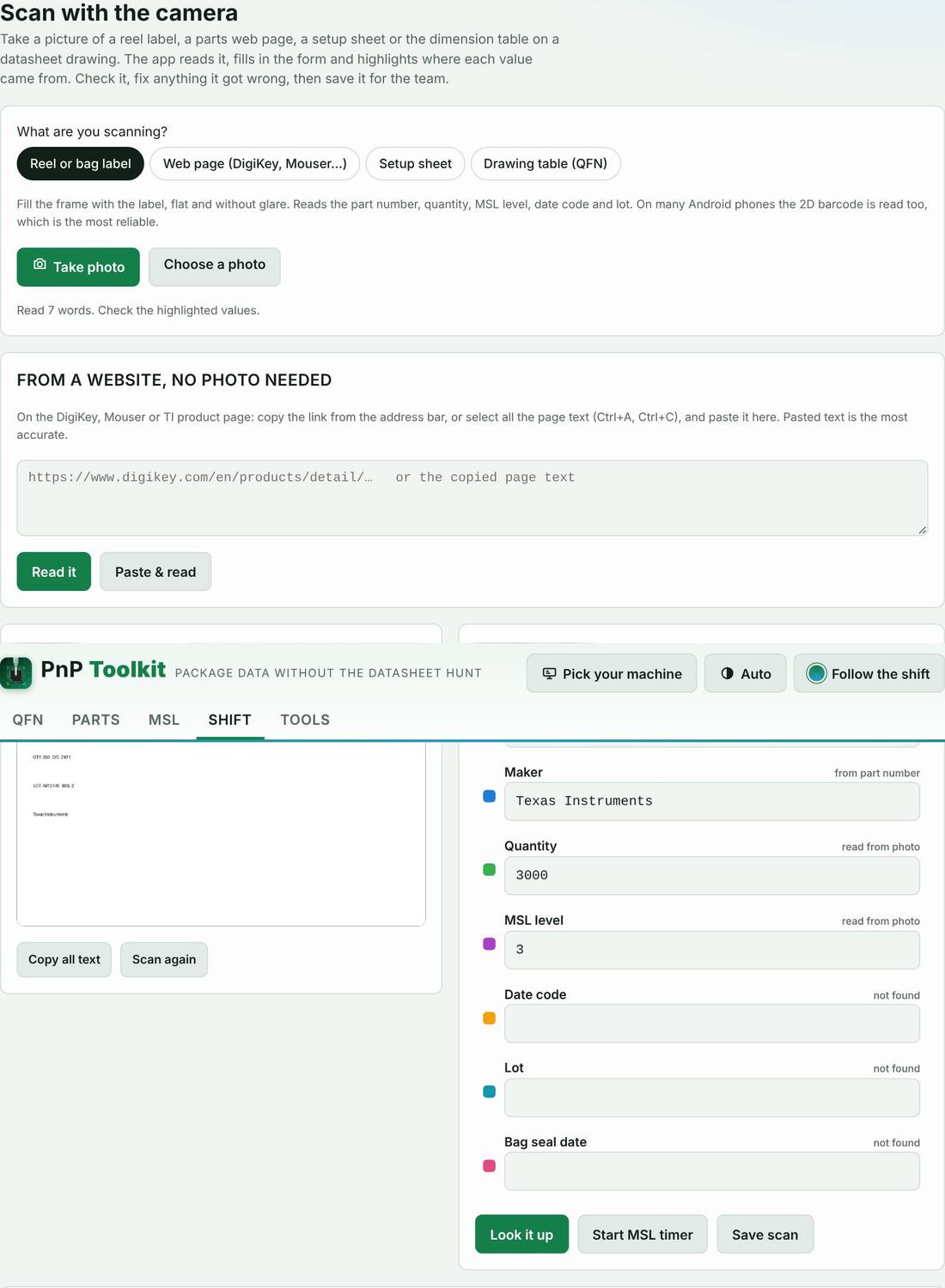
Photograph a reel label, a DigiKey or Mouser page, a setup sheet or a dimension table. The app reads the text on the phone, fills in a form and outlines where each value came from. No photo? Paste the product link or the page text.
How to use it
- Pick what you are scanning.
- Take the photo flat and without glare (or paste the page text).
- Check the form, fix anything it misread, then save to My Parts, the decoder or the machine setup sheet.
Proof it works
On your machine
The words in this tool follow the machine you pick: “nozzle” or “tool”, “feeder”, “intelligent feeder” or “Agilis feeder”.
Part categories it helps with
Other features
- Machine picker
- QFN decoder
- Parts library
- Kitting list from the BOM
- Load check
- MSL floor-life timers and bake times
- Mispick log
- Shift handoff note
- Machine setup sheet
- Team file and sharing
- Job setup checklist
- Rotation helper
- Unit converters and size codes
- Tape, feeders and ordering
- Tips from the floor
Try PnP Toolkit free for 30 days
No credit card. Works on any phone or line PC. After the trial it’s $49/month per machine.