 PnP
PnP QFN decoder
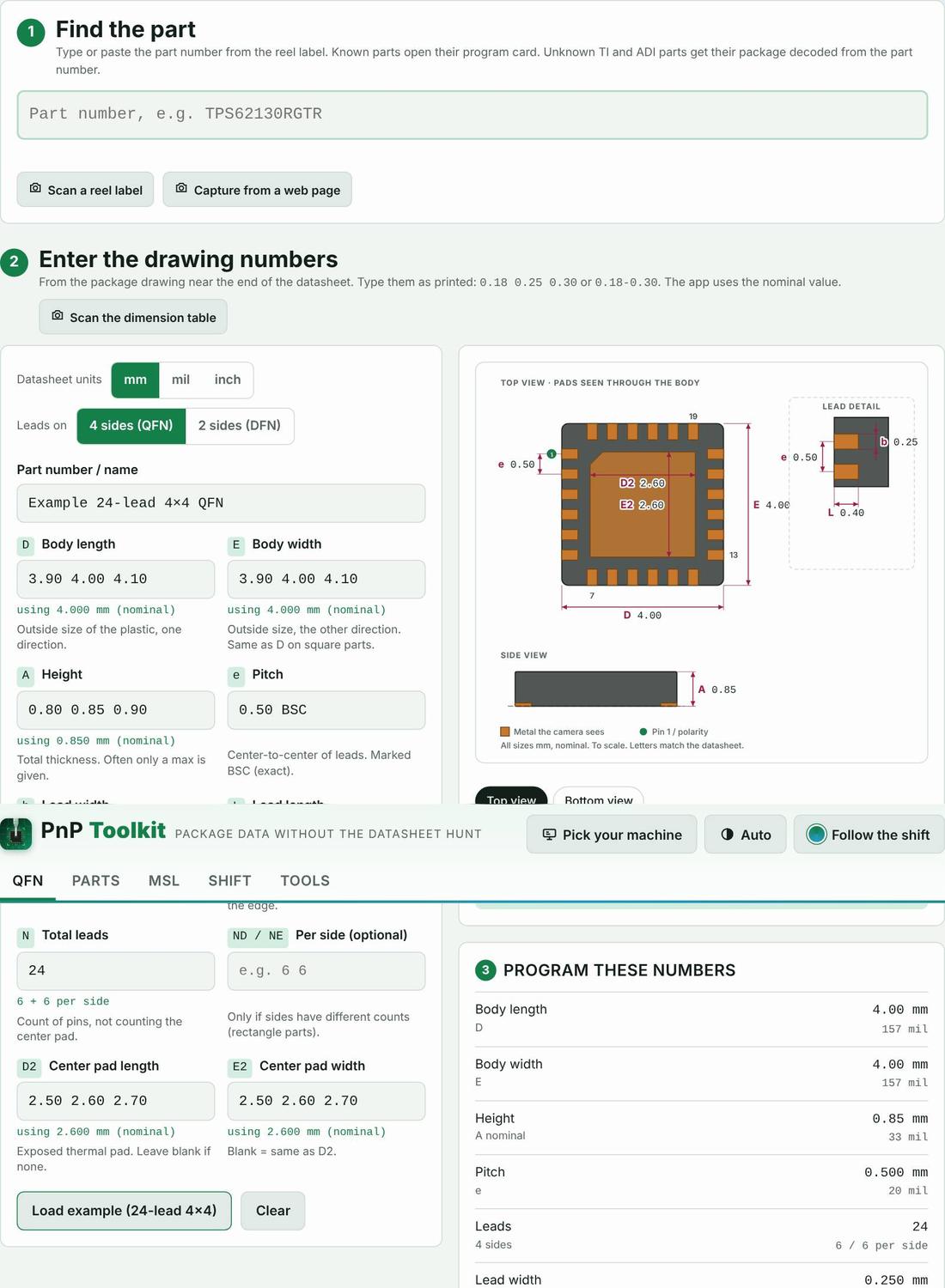
Type the numbers from the package drawing exactly as printed, like “0.18 0.25 0.30”. The decoder picks the nominal, checks the math against the body size and draws the part to scale with every dimension labeled with the same letter as the datasheet.
How to use it
- Open the datasheet at the mechanical drawing.
- Type D, E, A, e, b, L, N, D2 and E2 as printed (min nom max, or just one number).
- Check the warnings, flip between top and bottom view, then copy the summary or save it to My Parts.
Proof it works
- From datasheet to the dozen numbers you program PASS
- Mils typed as millimeters get a warning PASS
- Leads tight enough to bridge get a warning PASS
On your machine
The words in this tool follow the machine you pick: “nozzle” or “tool”, “feeder”, “intelligent feeder” or “Agilis feeder”.
Part categories it helps with
Other features
- Machine picker
- Parts library
- Scan and capture
- Kitting list from the BOM
- Load check
- MSL floor-life timers and bake times
- Mispick log
- Shift handoff note
- Machine setup sheet
- Team file and sharing
- Job setup checklist
- Rotation helper
- Unit converters and size codes
- Tape, feeders and ordering
- Tips from the floor
Try PnP Toolkit free for 30 days
No credit card. Works on any phone or line PC. After the trial it’s $49/month per machine.