 PnP
PnP Proof
We only say what we can show. Every claim on the PnP Toolkit site is listed below with the automated test that checks it, the exact result the app gave, and a screenshot from that run.
Last run 2026-10-28 15:40 UTC, on the same build that is live at pnptoolkit.app. The tests drive the real app in a Chromium browser the way an operator would: typing, tapping, scanning and reloading. They run again before every release.
The evidence
PASSFrom datasheet to the dozen numbers you program
The decoder takes the drawing values as printed and returns the nominal numbers, a summary line and a to-scale drawing.
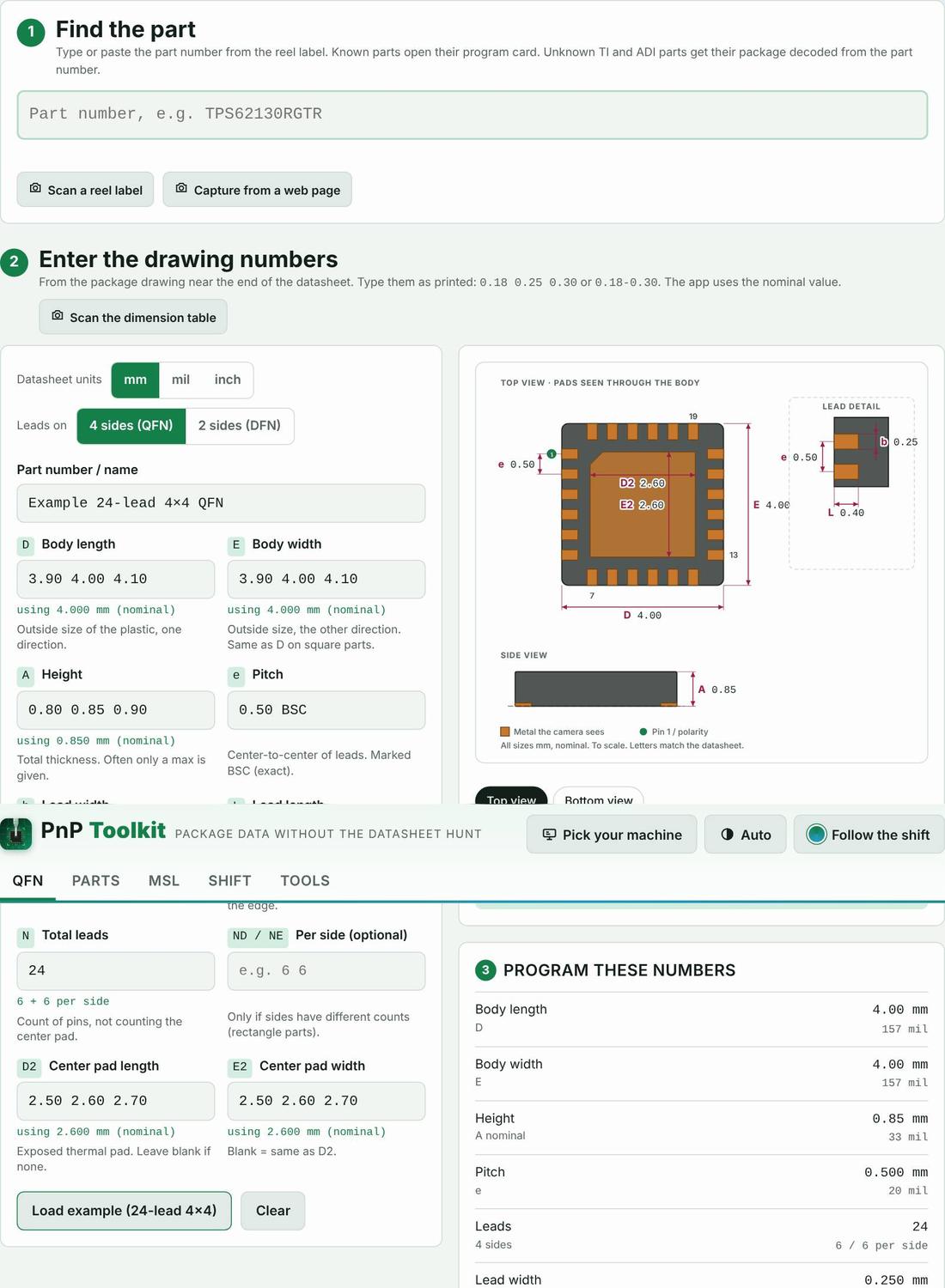
Feature: QFN decoder
PASSMils typed as millimeters get a warning
Numbers that are too big for millimeters are flagged before they are programmed.
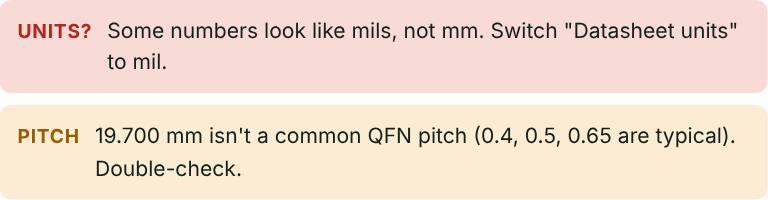
Feature: QFN decoder · Unit converters and size codes
PASSLeads tight enough to bridge get a warning
When the gap between leads is under 0.15 mm the decoder says so.

Feature: QFN decoder
PASSHotRod and flip-chip parts are flagged
Irregular-pad parts are marked so they are not built as a normal QFN.
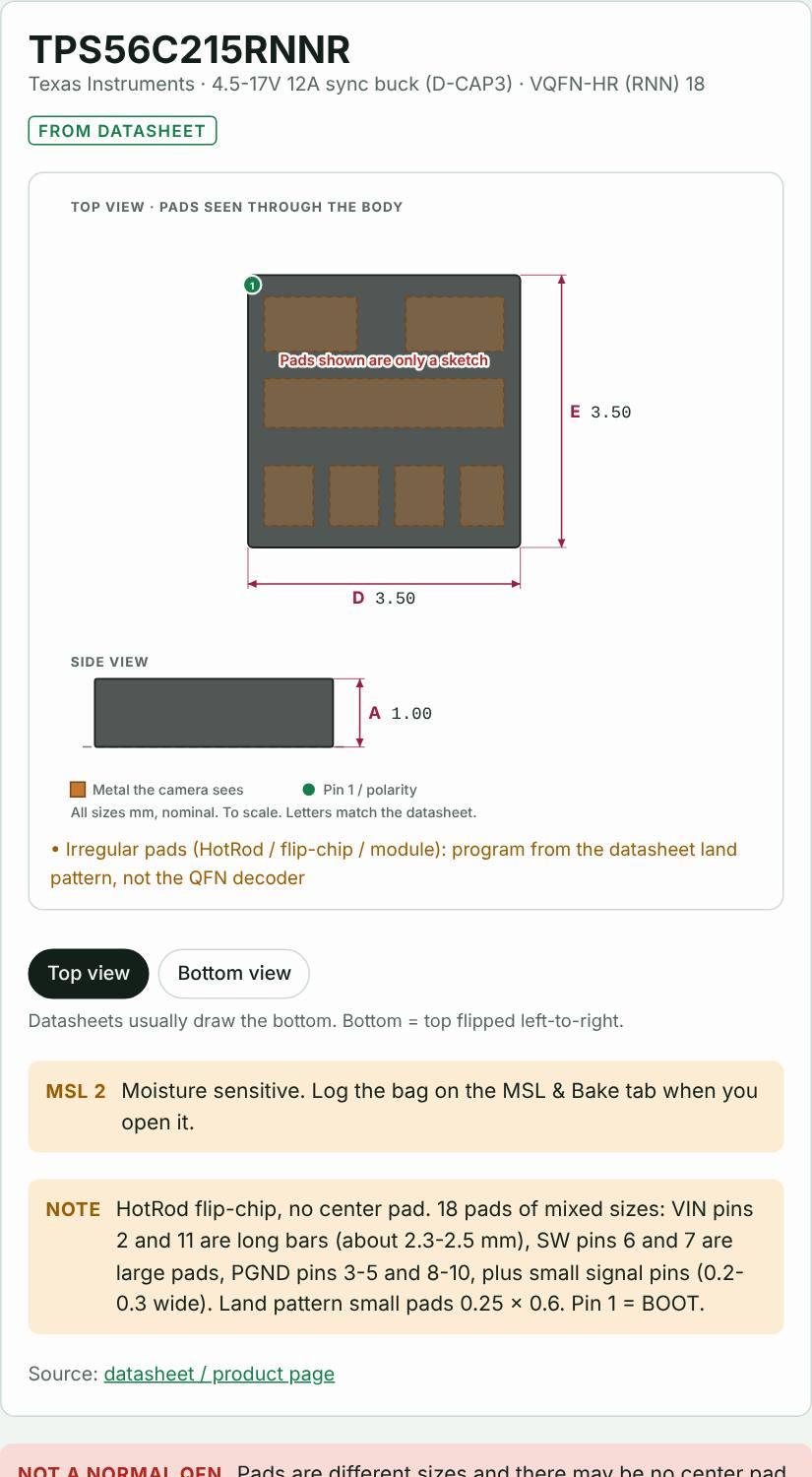
Feature: Parts library
PASSLibrary numbers link to their datasheet
Researched part numbers carry a link to the document the numbers came from.
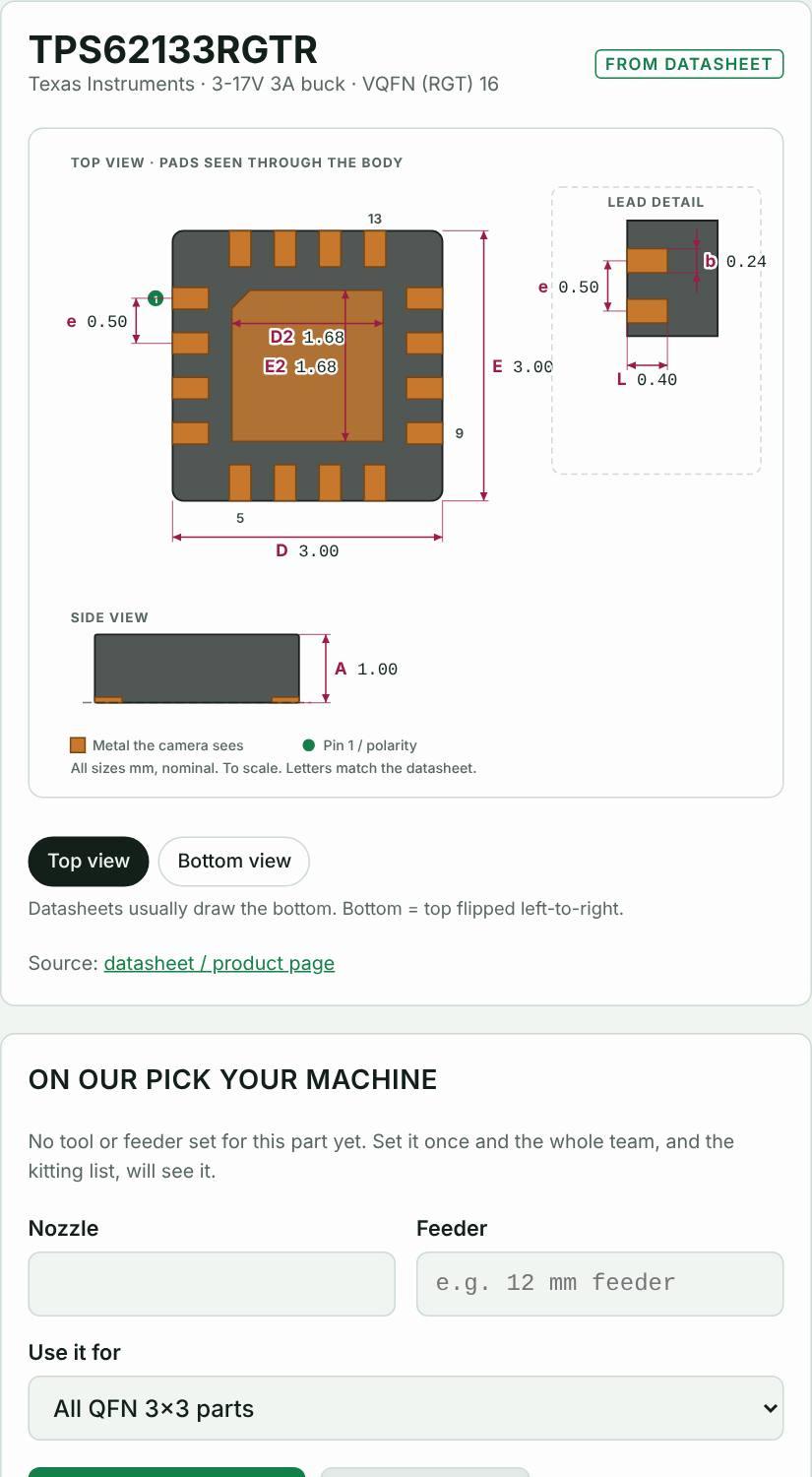
Feature: Parts library
PASSChip sizes read from maker part codes
A BOM with Murata, Samsung, Yageo, Panasonic and TDK codes gives the right chip size on every line, and DNP lines are left out.
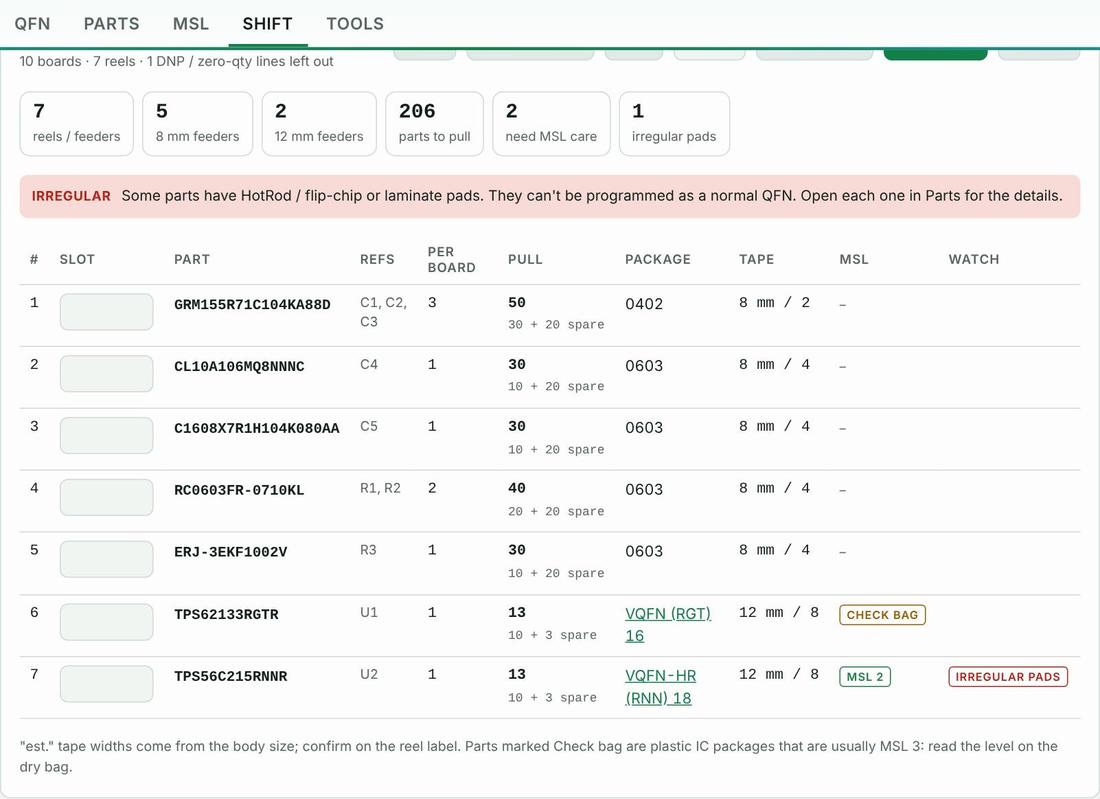
Feature: Kitting list from the BOM
PASSLoad check passes the right reel
A reel that is on the job shows its slot.
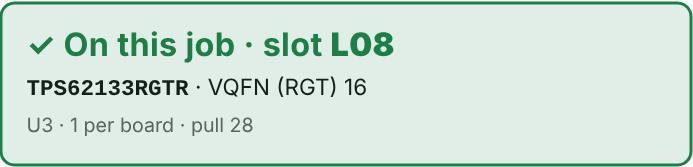
Feature: Load check
PASSLoad check catches a different suffix
Same base part, different suffix: flagged as “close, but not the same part”.
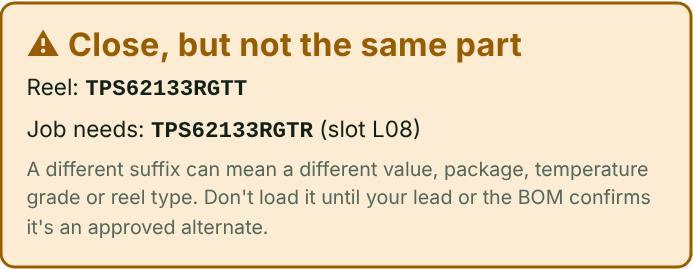
Feature: Load check
PASSLoad check stops the wrong reel
A reel that is not on the job is stopped.
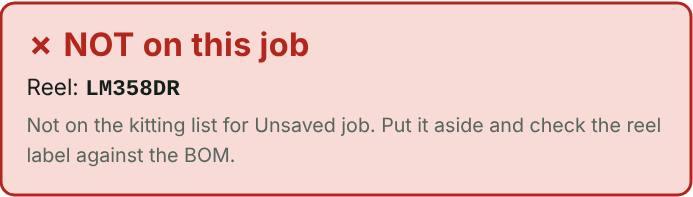
Feature: Load check
PASSWarning before a reel runs out
With reel counts entered, the app says which board each short reel runs out on.

Feature: Load check
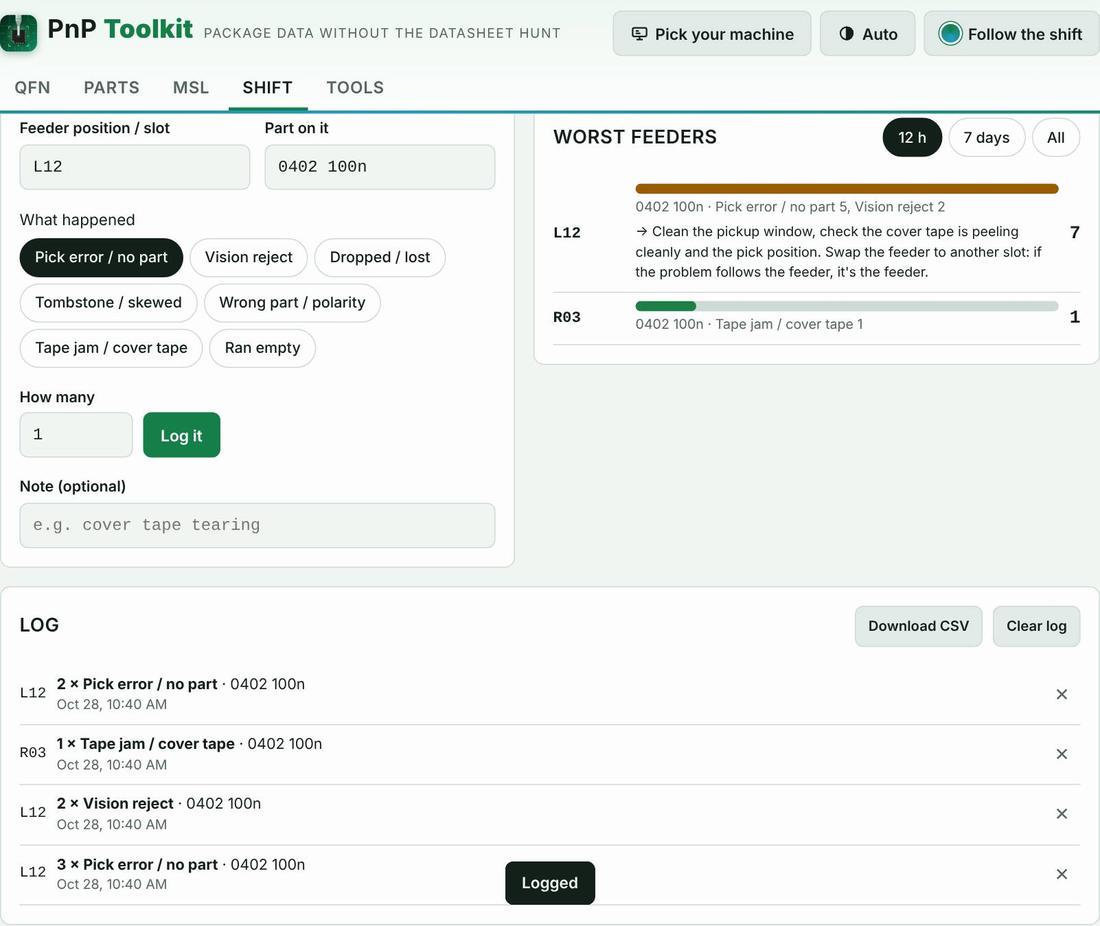
PASSThe worst feeder rises to the top
Mispicks are ranked by feeder with what to check first.
Feature: Mispick log
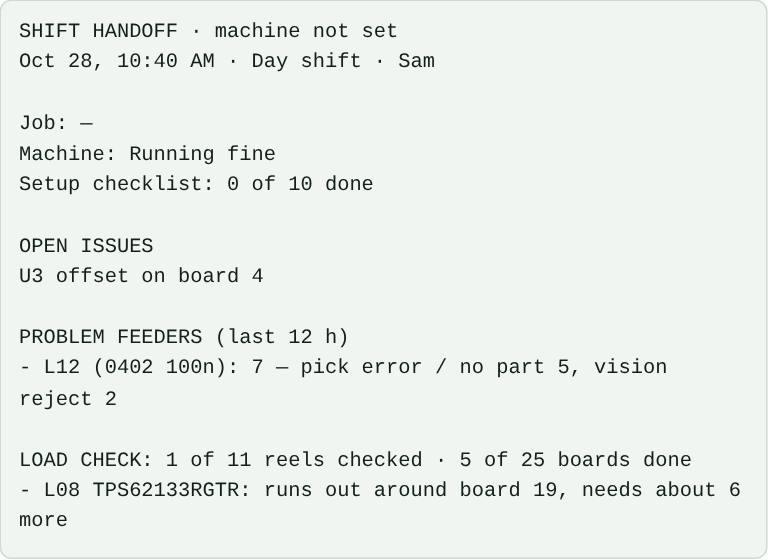
PASSThe handoff note writes itself
The note pulls in problem feeders, load status and open issues.
Feature: Shift handoff note
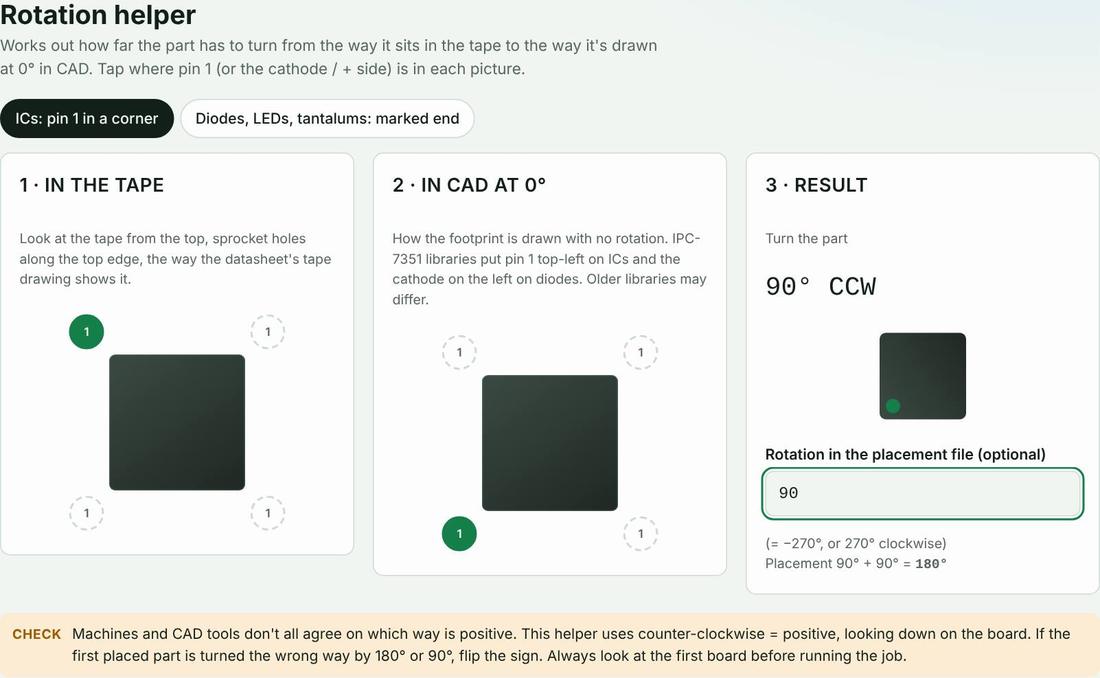
PASSRotation helper gives the turn angle
Pin-1 corner and placement angle give the total rotation.
Feature: Rotation helper
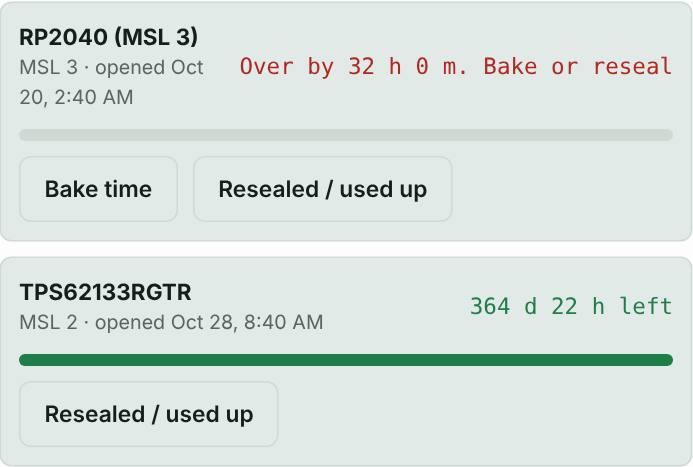
PASSOpen bags count down and show bake time
An MSL 3 bag 200 hours out is shown as over, with the bake time.
Feature: MSL floor-life timers and bake times
PASSThe app sets itself up for your machine
After picking a machine the app uses that machine’s terms.
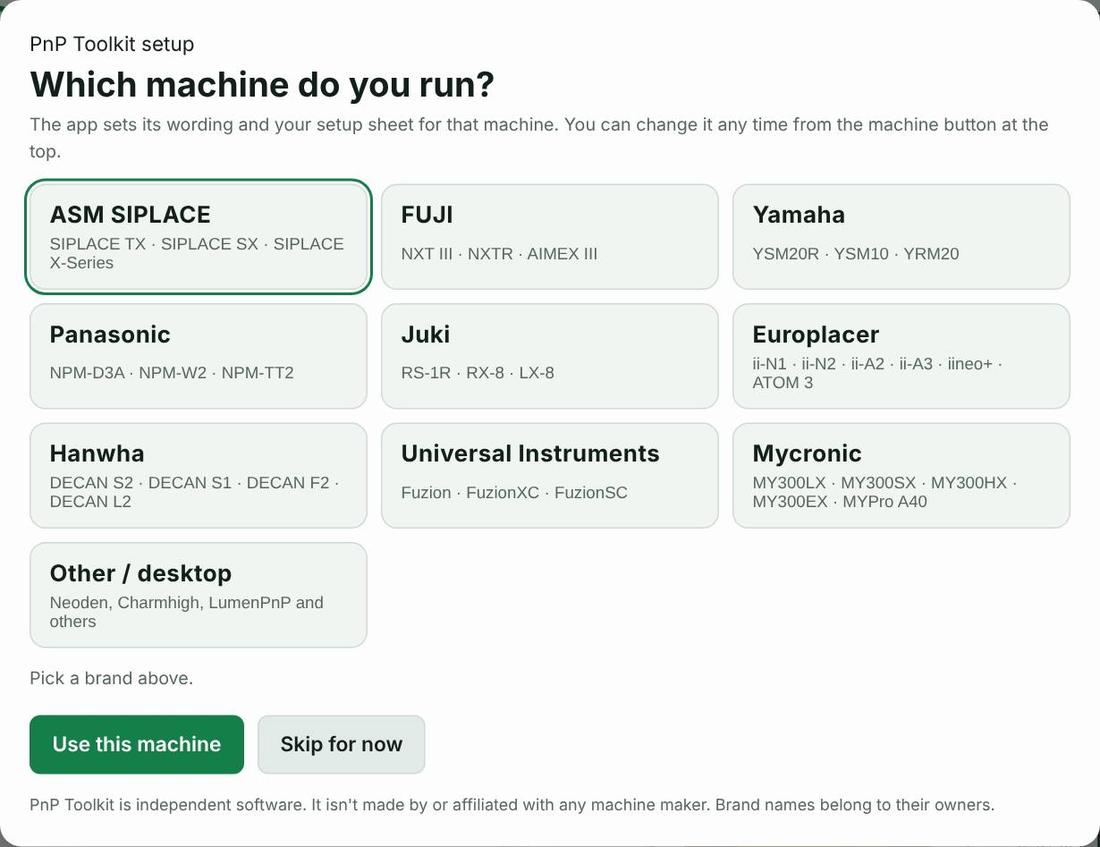
Feature: Machine picker · Machine setup sheet
PASSWorks with the network off
After one visit the app loads with no connection.

Feature: —
PASSPhotos are read on the phone, not uploaded
Network traffic during a scan was recorded.
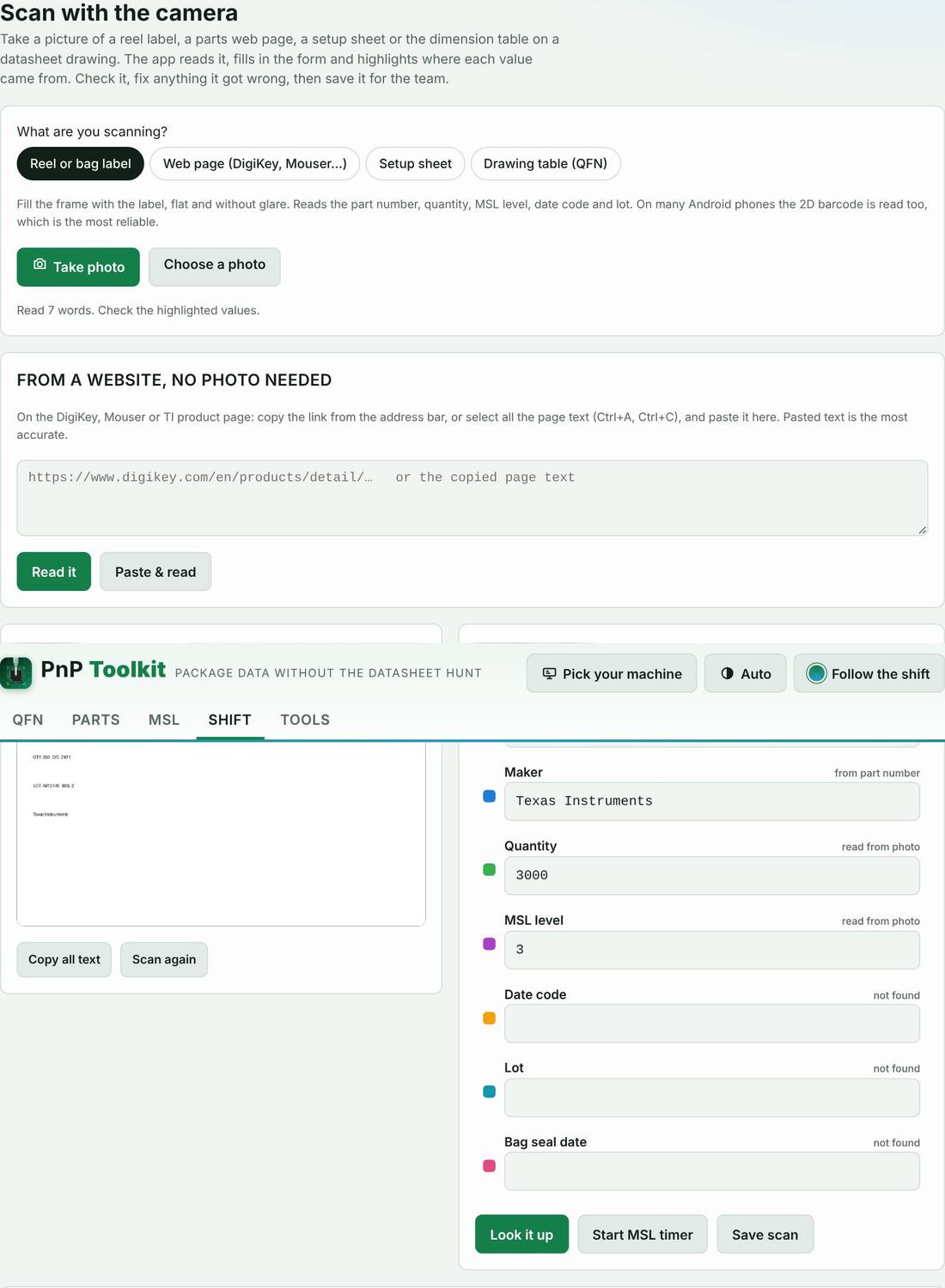
Feature: Scan and capture
PASSFits a phone screen
Every main screen was checked at 390 px wide for sideways scrolling.
Feature: —
PASSBake times match the J-STD-033 table
The MSL tool’s bake table was compared value by value with the IPC/JEDEC J-STD-033 table as published by EESemi and as extracted from J-STD-033C by Microchip. 90 of 90 values match. Floor-life limits (MSL 2: 1 year, 2a: 4 weeks, 3: 168 h, 4: 72 h, 5: 48 h, 5a: 24 h) match Table 4 of the J-STD-033 document. For production decisions use your licensed copy of the current revision (J-STD-033D) and the part maker’s label.
| Body thickness | MSL | 125 °C sat. | 125 °C FL+72 h | 90 °C sat. | 90 °C FL+72 h | 40 °C sat. | 40 °C FL+72 h |
|---|---|---|---|---|---|---|---|
| ≤ 1.4 mm | 2a | 5 h | 3 h | 17 h | 11 h | 8 days | 5 days |
| ≤ 1.4 mm | 3 | 9 h | 7 h | 33 h | 23 h | 13 days | 9 days |
| ≤ 1.4 mm | 4 | 11 h | 7 h | 37 h | 23 h | 15 days | 9 days |
| ≤ 1.4 mm | 5 | 12 h | 7 h | 41 h | 24 h | 17 days | 10 days |
| ≤ 1.4 mm | 5a | 16 h | 10 h | 54 h | 24 h | 22 days | 10 days |
| ≤ 2.0 mm | 2a | 21 h | 16 h | 3 days | 2 days | 29 days | 22 days |
| ≤ 2.0 mm | 3 | 27 h | 17 h | 4 days | 2 days | 37 days | 23 days |
| ≤ 2.0 mm | 4 | 34 h | 20 h | 5 days | 3 days | 47 days | 28 days |
| ≤ 2.0 mm | 5 | 40 h | 25 h | 6 days | 4 days | 57 days | 35 days |
| ≤ 2.0 mm | 5a | 48 h | 40 h | 8 days | 6 days | 79 days | 56 days |
| ≤ 4.5 mm | 2a | 48 h | 48 h | 10 days | 7 days | 79 days | 67 days |
| ≤ 4.5 mm | 3 | 48 h | 48 h | 10 days | 8 days | 79 days | 67 days |
| ≤ 4.5 mm | 4 | 48 h | 48 h | 10 days | 10 days | 79 days | 67 days |
| ≤ 4.5 mm | 5 | 48 h | 48 h | 10 days | 10 days | 79 days | 67 days |
| ≤ 4.5 mm | 5a | 48 h | 48 h | 10 days | 10 days | 79 days | 67 days |
Feature: MSL floor-life timers and bake times
FACTWhat is in the parts library
179 entries across 13 categories. 104 of them are real part numbers whose numbers were taken from a linked datasheet or distributor page; the rest are generic package sizes (0402, SOT-23, SOIC-8 and so on) with typical industry values. Every entry has its own page with a drawing and its source: browse them by category.
FACTWhere the machine names come from
462 feeder, nozzle, head and vision names across all ten machine types. 398 come from the maker’s own pages, brochures and spec sheets; the rest come from parts-supplier catalogs and are marked “supplier”. Names found only in used-equipment listings or forums are left out of the app. Each name links to its source on the machine guides and in terms across brands. Where a maker doesn’t publish a name (for example most software field names for pick height or vacuum check), the app leaves it blank rather than guess.
What we do not claim
- Savings figures are examples, not measurements. The calculator on the home page uses your numbers. We don’t have customer savings data to publish yet, and we won’t make any up.
- No customer reviews are shown because we haven’t collected any yet. When we do, they’ll be real and attributed.
- Tested in Chromium at phone and desktop sizes, not on every phone model. If something looks wrong on yours, call us.
- Camera reading depends on the photo. Glare, tilt and blur cause misreads, so the app shows every value for you to check before saving. The scanner has a self-test.
- Package values are typical unless a datasheet is linked. Always check the datasheet for your exact part number and check the first board.
- Not affiliated with any machine maker. Brand names only say which machines the app can be set up for.
Check it yourself
- Open the app and tap “Example” on the QFN tab, then change one number to a mil value.
- Go to Shift → Kitting, tap the example, number the slots, then Shift → Load check and type a part number with the last letter changed.
- Turn on airplane mode and reload the app.
- Open your browser’s developer tools, Network tab, and scan a label: you’ll see no upload.
No credit card. Works on any phone or line PC. After the trial it’s $49/month per machine.